MailFlow is a self-hosted, open-source webmail client. Connect Gmail, iCloud,
Outlook, and any IMAP account — then read, search, and reply from one fast,
clean browser interface you control completely.
Built for people who want a beautiful webmail experience without handing their inbox to a third party.
Unified Inbox
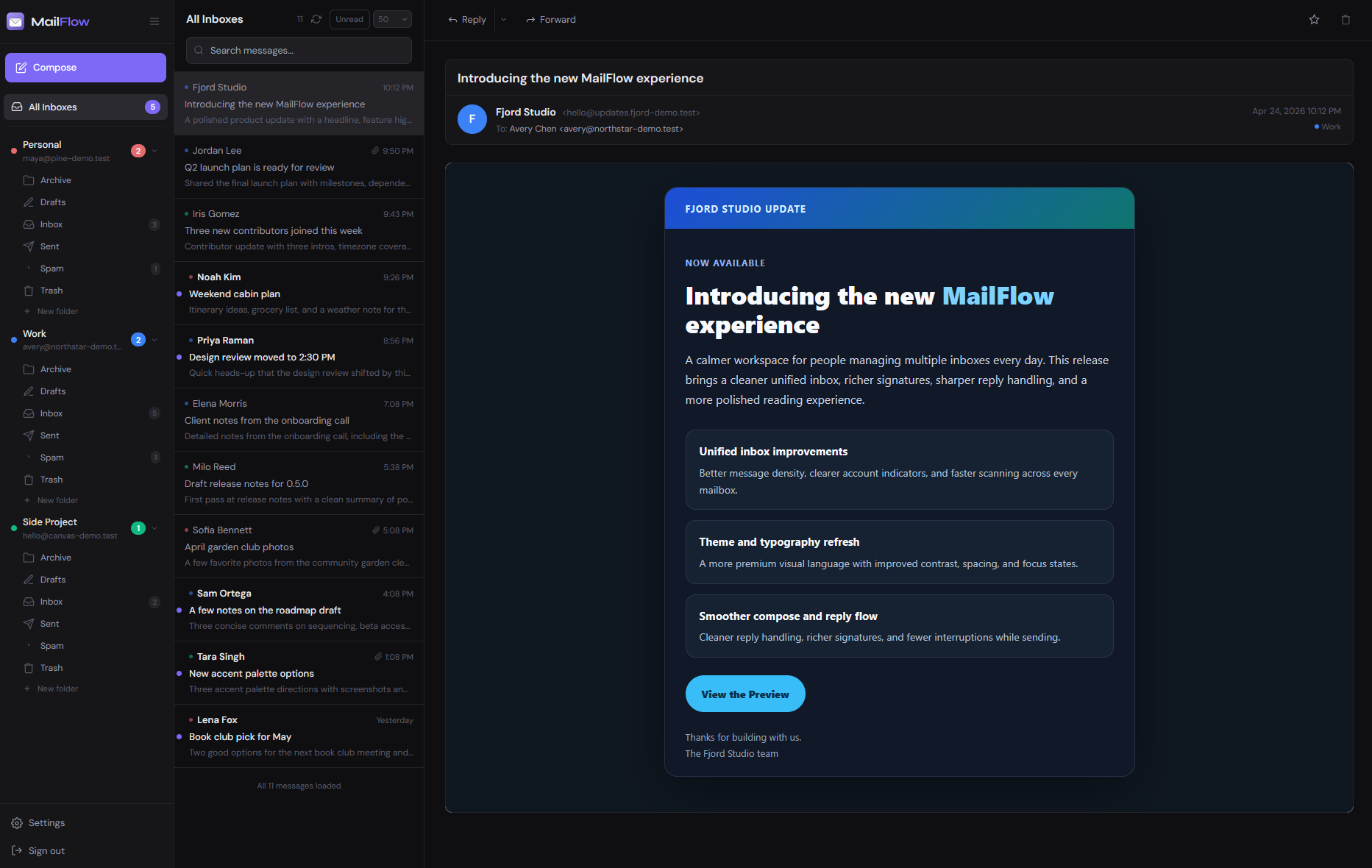
Every account in a single, chronological feed. Stop switching tabs and start reading.
Any IMAP Server
Gmail, iCloud, Outlook, Fastmail, or your own mail server. If it speaks IMAP, it works.
Two-Factor Auth
TOTP via any authenticator app, email OTP fallback, and persistent device trust. Admin-configurable enforcement policy.
Fully Self-Hosted
Your webmail runs on your own server. No third-party clouds, no data harvesting, no subscriptions.
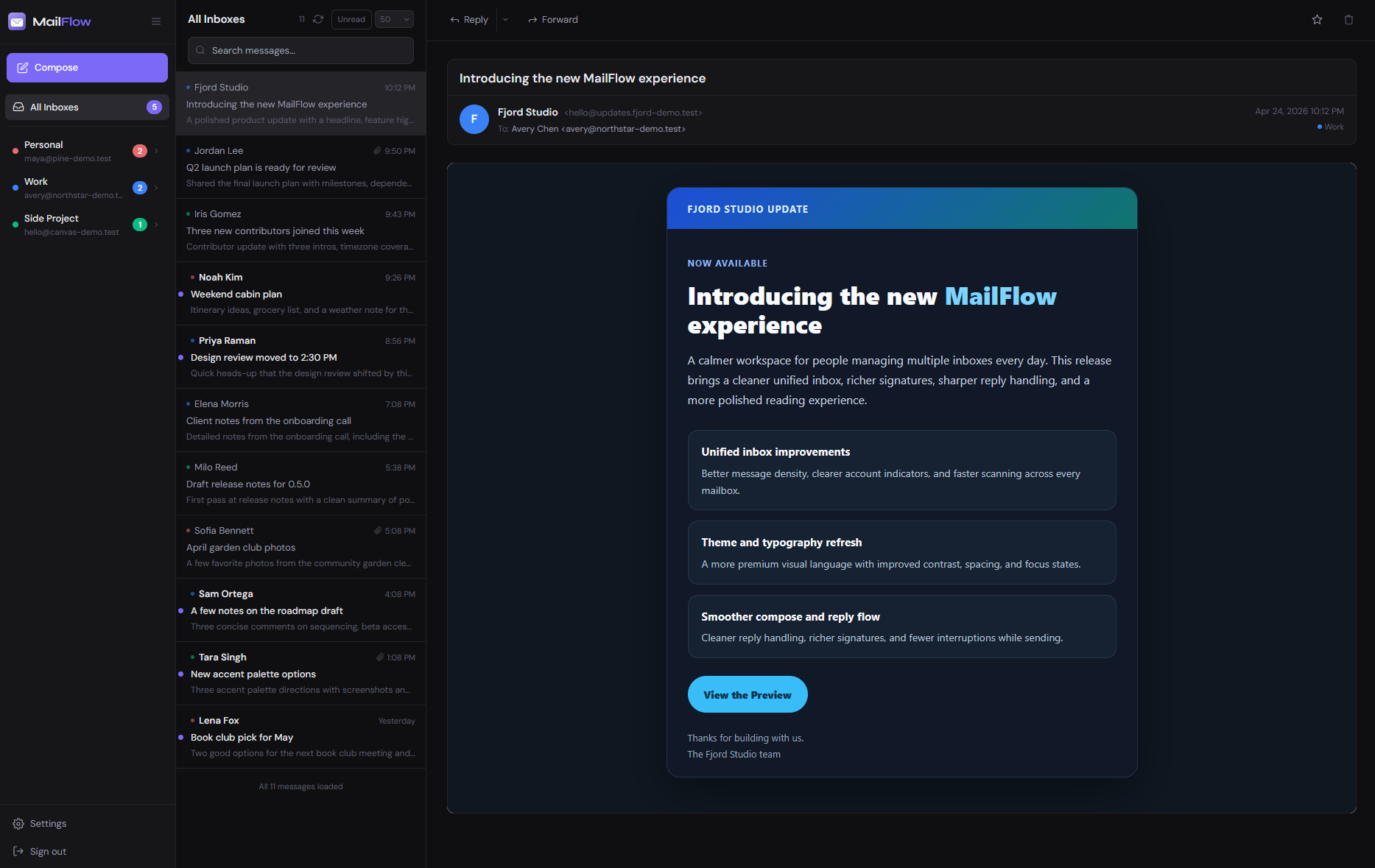
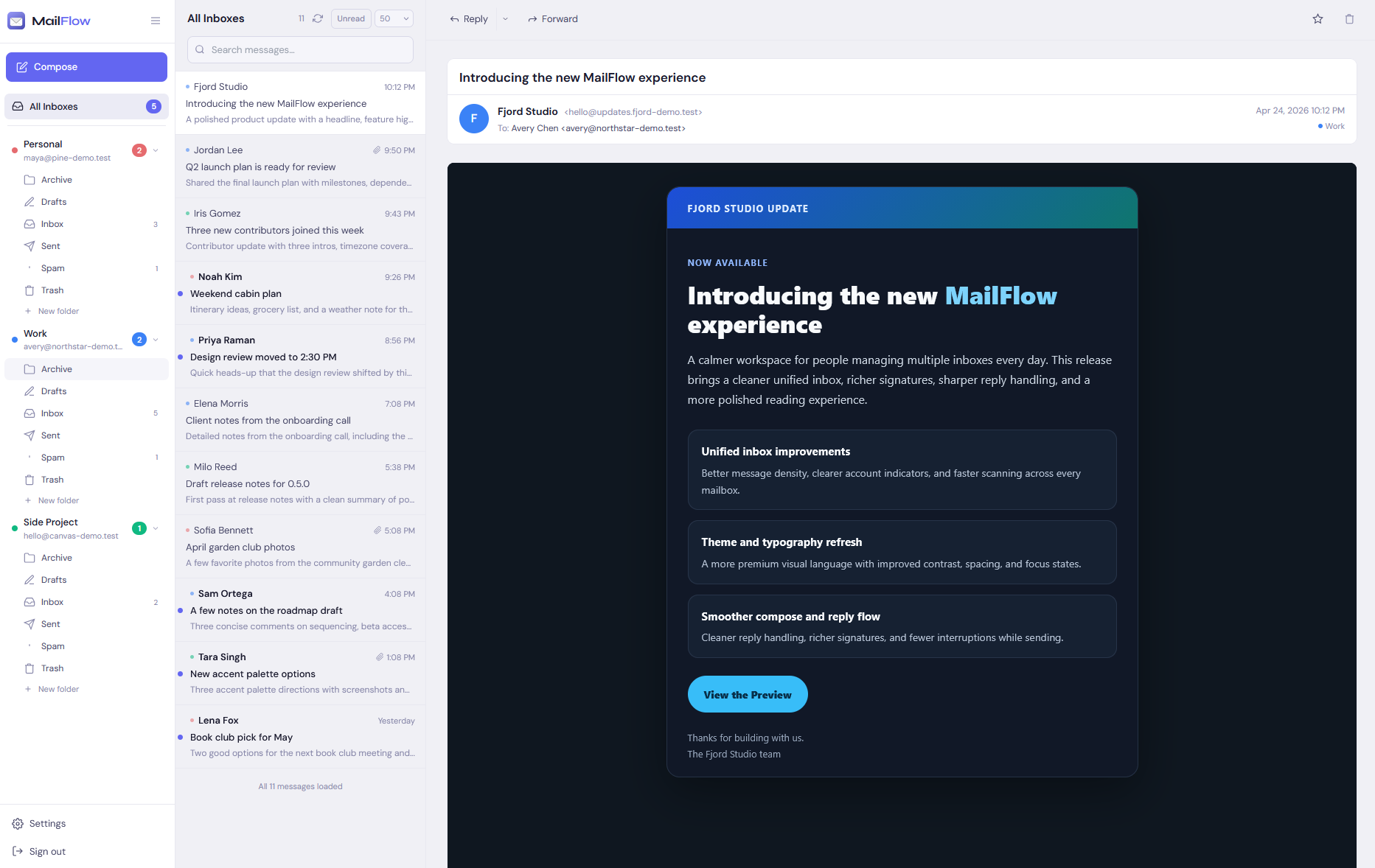
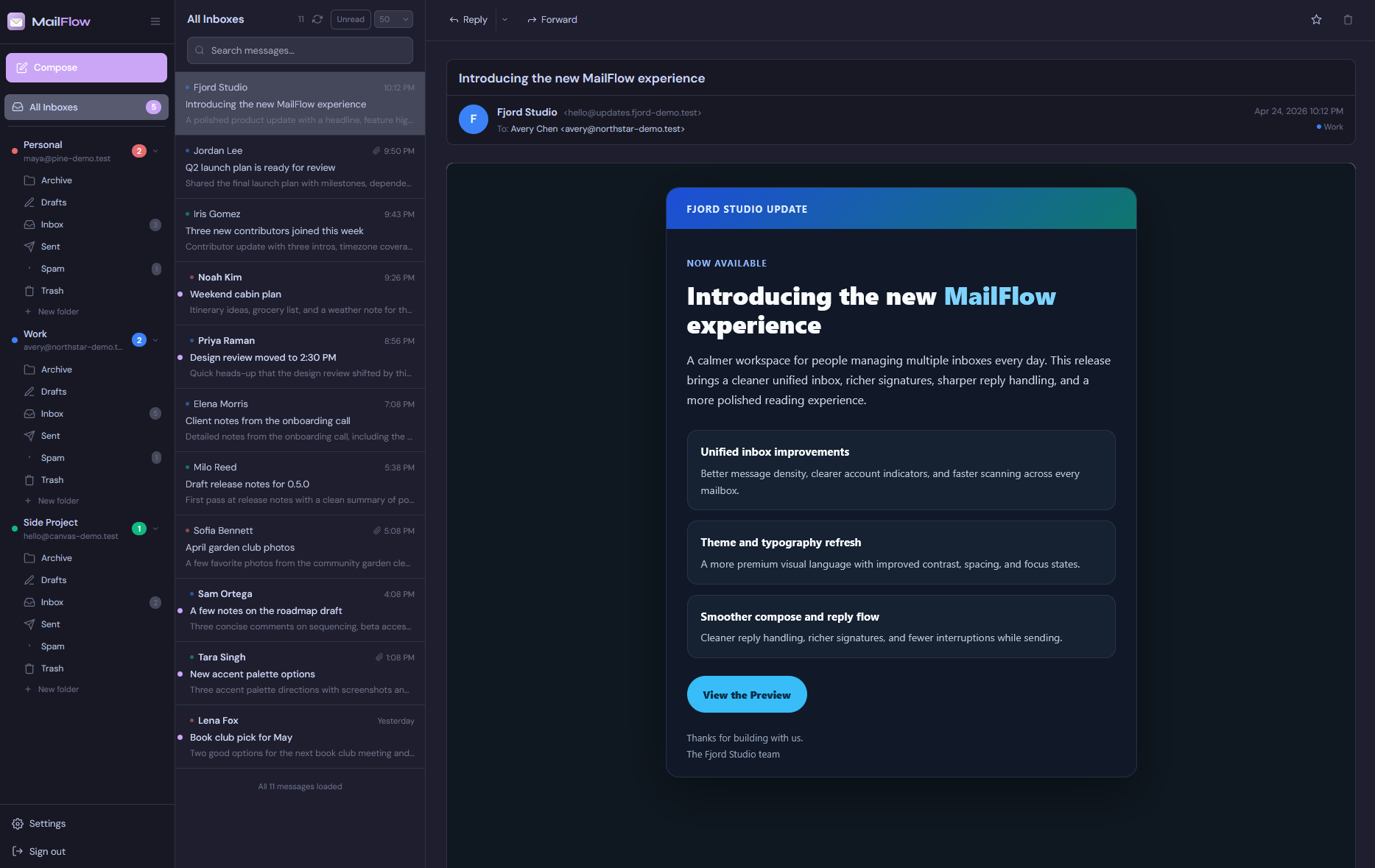
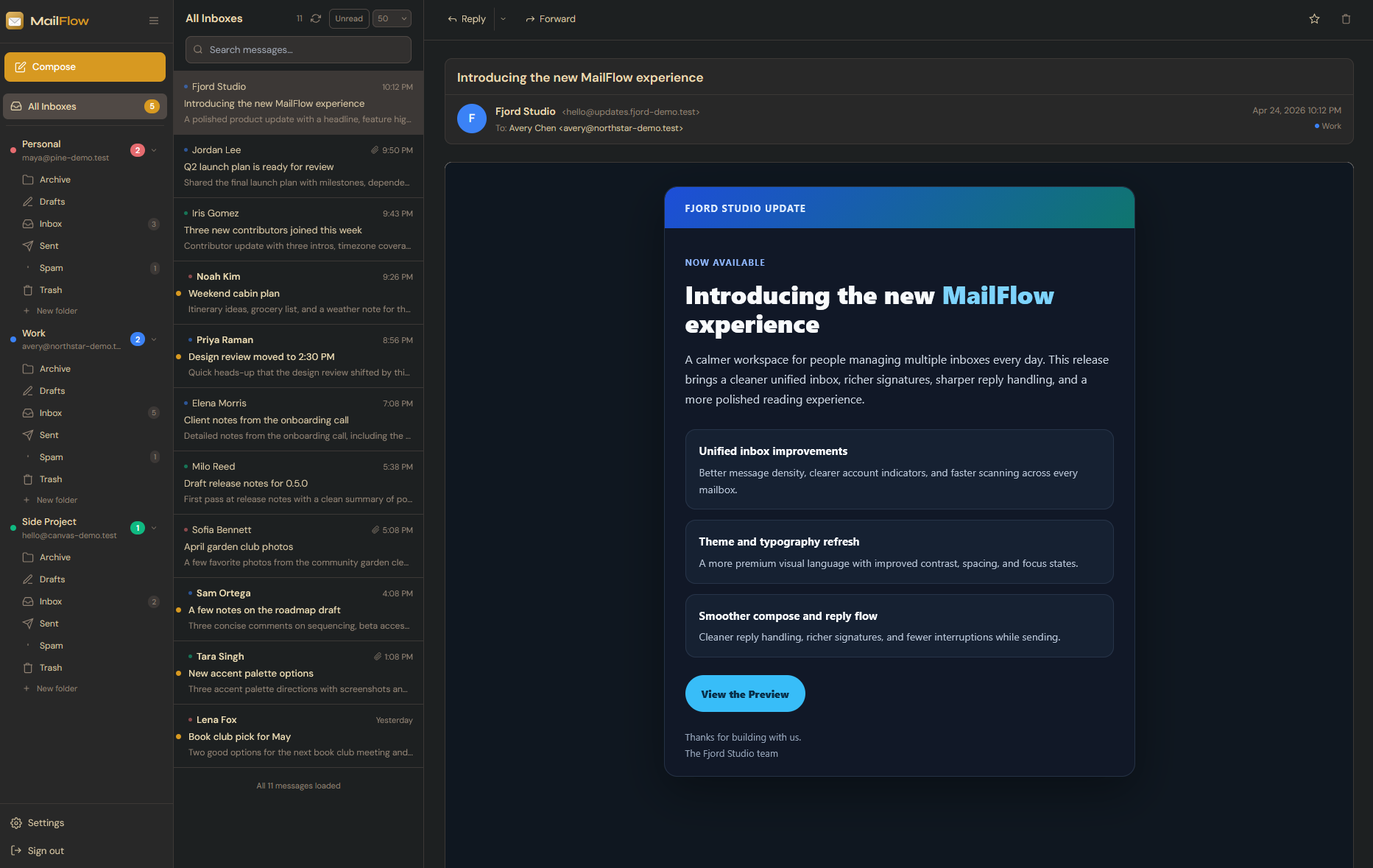
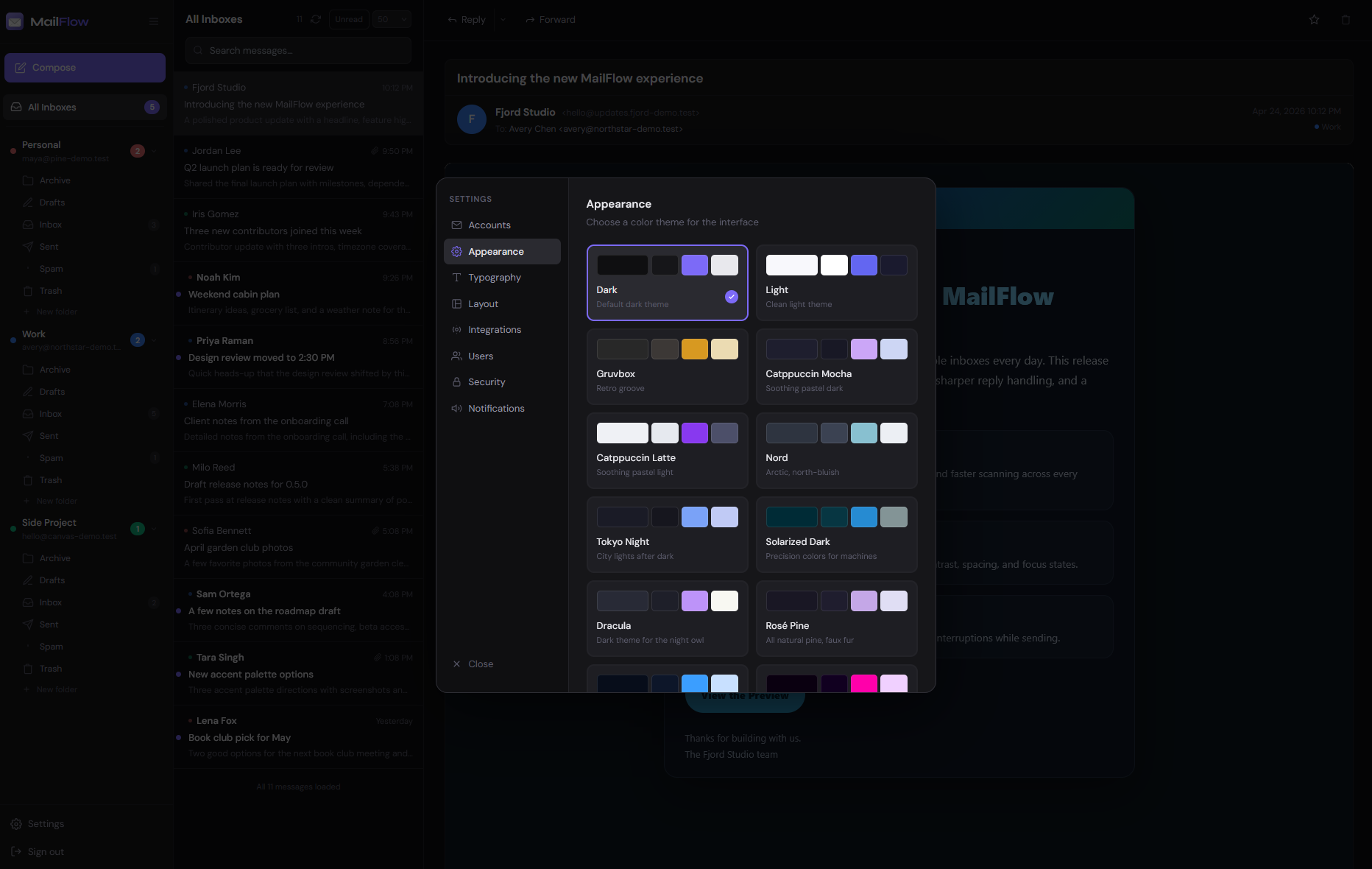
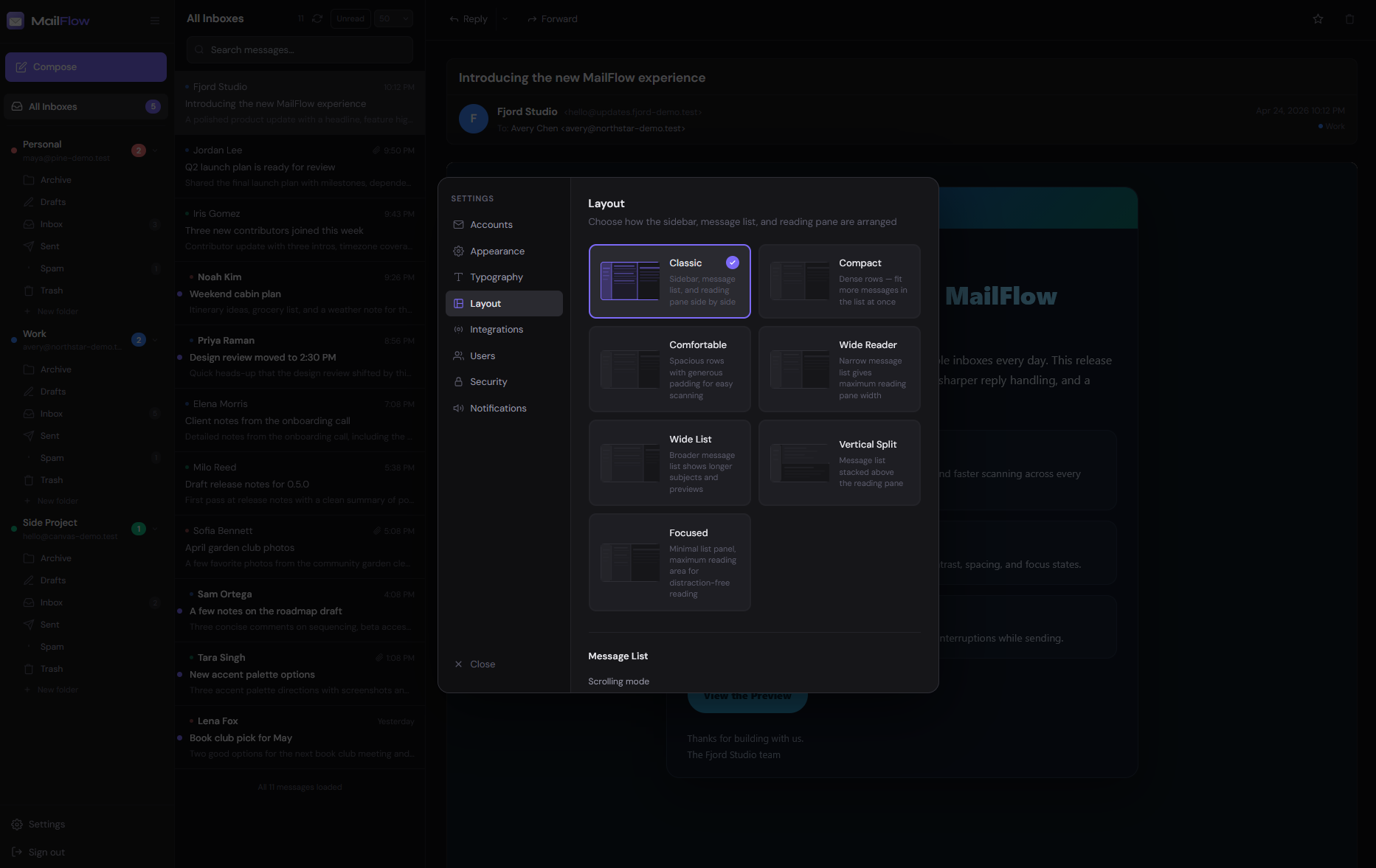
Themes & Layouts
Dark mode, light mode, multiple color schemes, typography controls, and flexible layouts.
Full-Text Search
Instant search across every connected account simultaneously, powered by PostgreSQL.
Real-Time Sync
New mail appears the instant it arrives via WebSocket. No polling, no manual refresh.
One-Command Deploy
Docker Compose gets you from zero to a running inbox in under five minutes.
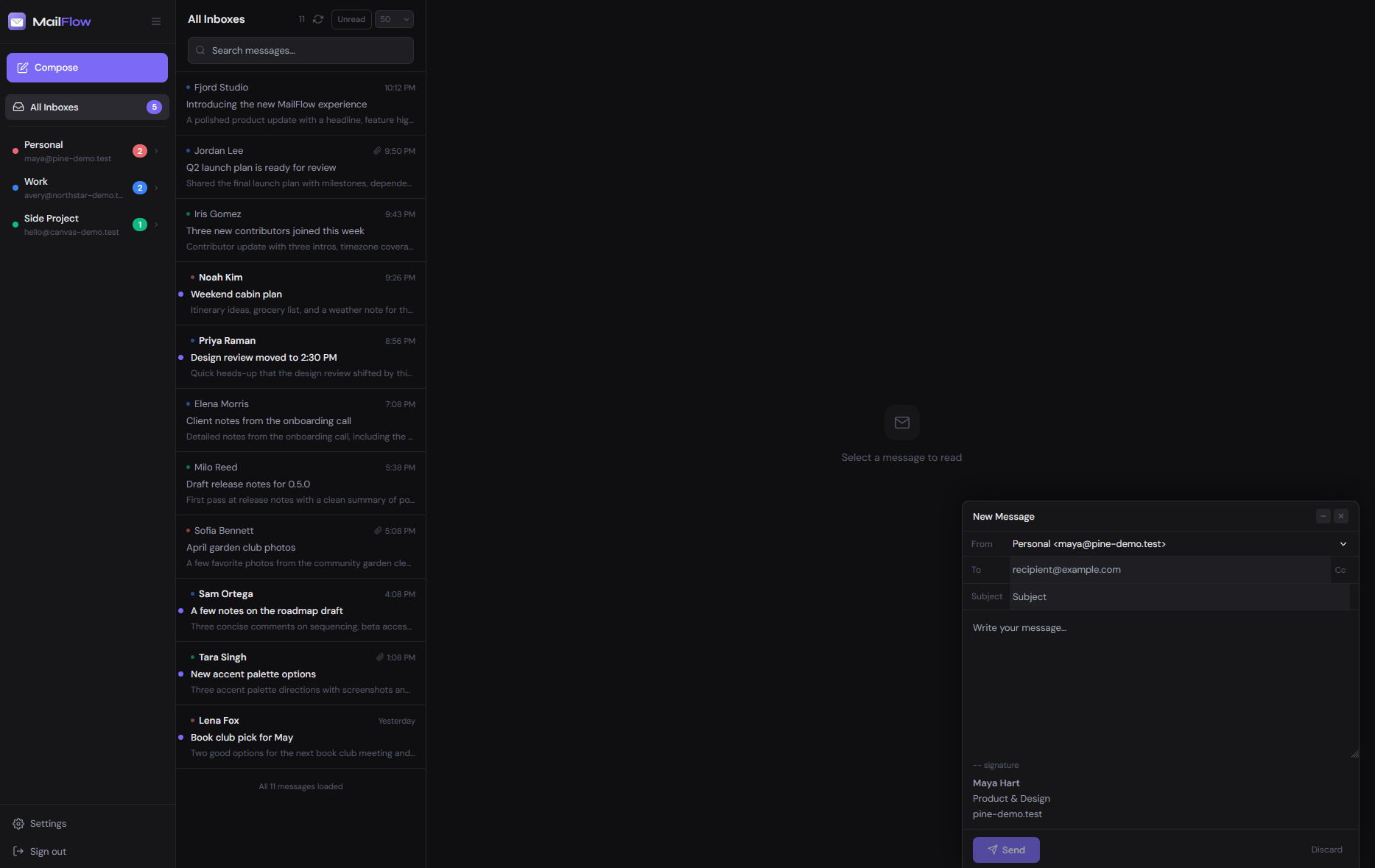
Rich Text Compose
Full WYSIWYG editor with font controls, text and highlight color, tables, emoji, links, and file attachments.
Conversation Threads
Messages grouped into reply chains. Sent replies appear inline so you never lose context.
Installable PWA
Install MailFlow as an app on desktop or mobile. Push notifications work out of the box.
Keyboard First
Full shortcut set for compose, navigation, and actions — all remappable per user. Plus a Cmd+K command palette.
Todoist Integration
Create Todoist tasks directly from emails with one click, with a deep link back to the original message. Link your account from the admin Apps tab.
Email Categorization
Automatic inbox tabs — Primary, Newsletters, Social, Notifications, and Other — sort incoming mail by type. An AI reclassify button fixes misdetections instantly.
AI Assistant
Connect any OpenAI-compatible provider — your own local model or a cloud API. Summarise long threads, draft replies, and ask questions about any message. Your mail stays on your server.
Inbox Rules
Automate actions based on sender, subject, recipient, headers, body, or attachments. Move, archive, delete, star, or mark read — rules run the moment mail arrives.
Block List & Spam Feedback
Block senders so their mail goes straight to trash. Mark messages as spam or not spam from the toolbar, context menu, or bulk actions.
One-Click Unsubscribe
An unsubscribe button appears automatically in the message pane for detected newsletters. One click sends the unsubscribe request or opens the provider's unsubscribe page.
Roadmap
Where we're headed. Built in the open.
MailFlow ships quality over velocity. This reflects what's in focus — updated as things move.
Now
In active development
Next
Actively planned
Later
Longer horizon
No dates, no commitments — priorities shift as the community's needs become clear. Suggest something →
Gallery
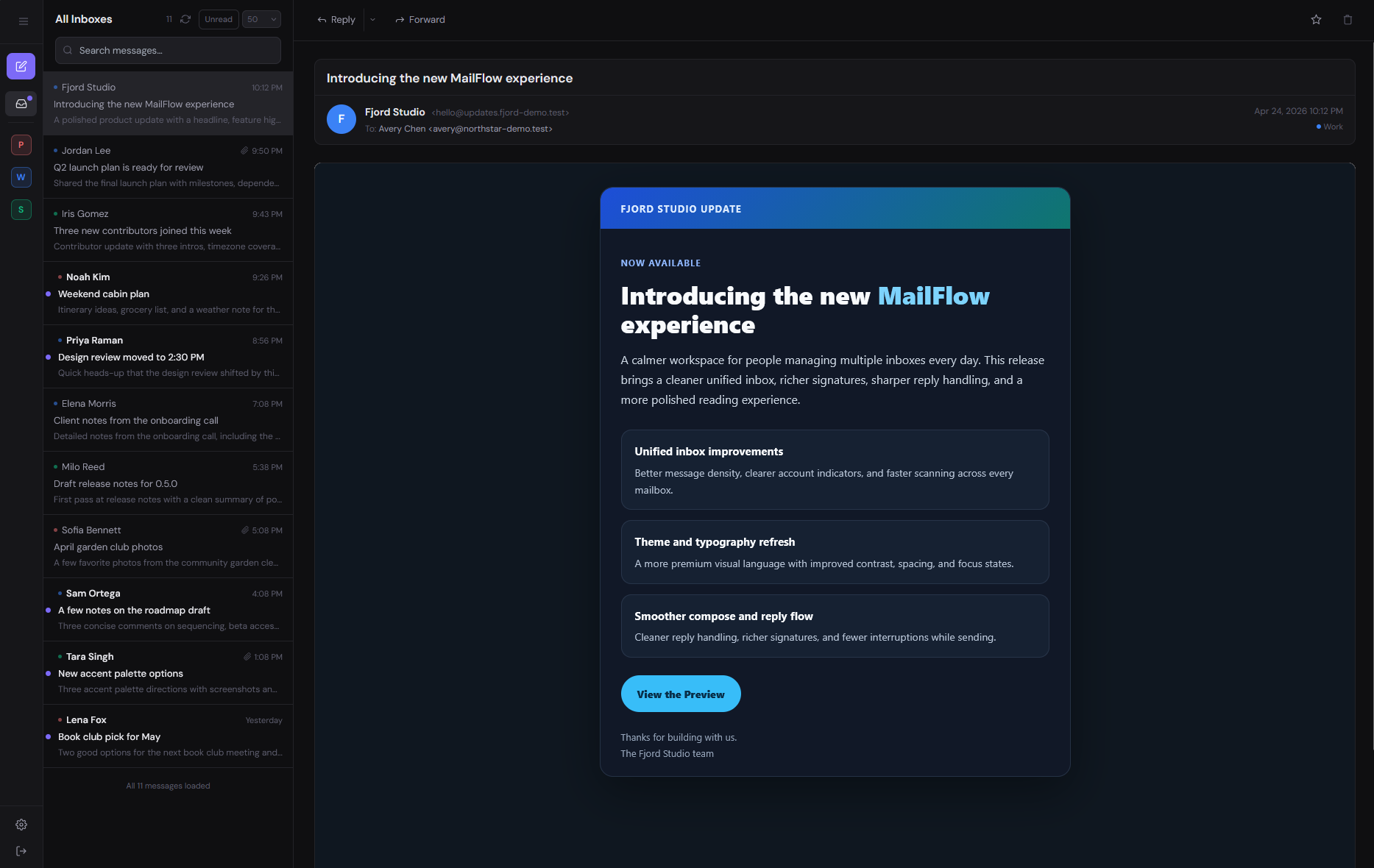
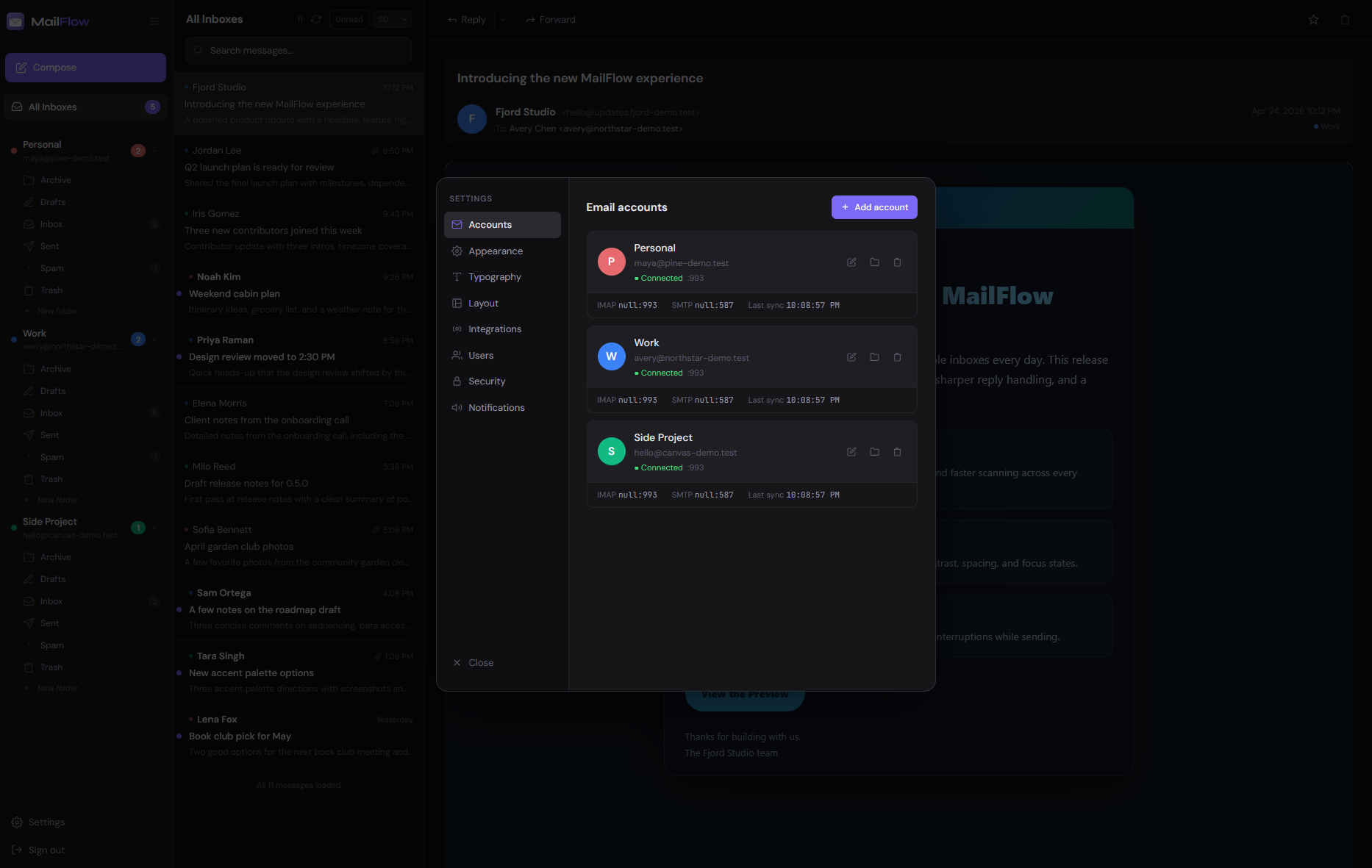
See it in action. Your inbox, your way.
Flexible themes, layouts, and typography — all from one clean, fast interface.
mailflow.sh
Theme
Theme
Theme
Compose
Interface
Settings
Interface
Settings
Settings
From zero to inbox in three steps.
No complex configuration. No ops expertise required.
01
Download & configure
Grab the compose file and fill in four secrets. No cloning or building required — pre-built images are pulled automatically.
terminal
# Download compose file and config template
curl -o docker-compose.yml https://raw.githubusercontent.com/maathimself/mailflow/main/docker-compose.ghcr.yml
curl -o .env               https://raw.githubusercontent.com/maathimself/mailflow/main/.env.example

# Fill in APP_URL, SESSION_SECRET, DB_PASSWORD, ENCRYPTION_KEY
02
Launch with Docker
One command starts everything — the app, database, Redis, and nginx. Available on port 443 (self-signed HTTPS) and port 80 by default.
terminal
# Pull images and start all services
docker compose up -d

# Serves HTTPS:443 (self-signed) and HTTP:80 by default
03
Add your accounts
Register the first user — they become admin automatically. Then connect your email accounts from the settings panel.
settings → accounts
# Supported providers
Gmail        → App Password
iCloud Mail  → App-Specific Password
Outlook      → OAuth2
Custom IMAP  → Any server
Security
What's actually under the hood.
Standard hardening out of the box — bcrypt passwords, rate-limited auth, HttpOnly
session cookies, HTML email sanitization, and TLS via self-signed cert or automatic
Let's Encrypt with the built-in Caddy profile.
It's open source, so nothing is hidden. Read the code if you want to verify any of it.
For businesses, managed hosting, or any deployment where AGPL obligations cannot be met.
All features included
No AGPL obligations
Modify & deploy privately
Direct email for questions, feedback & business enquiries
Why the change? MailFlow has always been free for individuals and always will be.
This dual-license model protects the project from commercial exploitation — if a business wants to
build on MailFlow, a small license fee helps fund continued development for everyone.
Questions? Open an issue,
get in touch, or
read the full license.
FAQ
Frequently asked questions.
What is MailFlow?
MailFlow is a self-hosted unified email client that lets you connect Gmail, iCloud Mail, Outlook, and any IMAP server into one clean, modern interface. It runs entirely in Docker, is open source under AGPL-3.0, and keeps all your email data on your own server.
Is MailFlow free?
Yes. MailFlow is free to self-host under the AGPL-3.0 open source license. A commercial license is available for use in proprietary or SaaS products.
Does MailFlow work with Gmail?
Yes. MailFlow supports Gmail via App Password over IMAP. Two-factor authentication accounts are fully supported.
Does MailFlow work with Outlook or Hotmail?
Yes. MailFlow supports Microsoft Outlook, Hotmail, and Microsoft 365 accounts via OAuth2.
Does MailFlow work with iCloud Mail?
Yes. MailFlow supports iCloud Mail via an App-Specific Password, which you generate in your Apple ID settings.
What are the system requirements for MailFlow?
MailFlow requires Docker Engine 24+ and Docker Compose v2. No other dependencies are needed. It runs on any Linux server, VPS, NAS, or home lab machine.
How do I install MailFlow?
Download the compose file and environment template, fill in four values (APP_URL, SESSION_SECRET, DB_PASSWORD, ENCRYPTION_KEY), and run docker compose up -d. Full instructions are in the documentation.
Is MailFlow secure?
Yes. MailFlow encrypts all stored email credentials at rest using AES-256, supports two-factor authentication, runs entirely on your own infrastructure, and never routes your email through third-party servers.
Can multiple users share a MailFlow instance?
Yes. MailFlow supports multiple users on a single instance. The first registered user becomes admin and can invite others, close public registration, or set up Single Sign-On via OIDC.
How is MailFlow different from Roundcube or Snappymail?
MailFlow is a modern, Docker-native email client with a unified inbox for multiple accounts simultaneously, real-time IMAP sync, a built-in AI assistant, inbox rules, and a React-based interface. Roundcube and Snappymail are traditional single-account webmail clients built on older architectures.
Coming Soon
MailFlow, fully hosted.
No server required. We handle the infrastructure so you can focus on your inbox. Join the waitlist and be first to know when it launches.
No spam. One email when it launches.
Open Source
Supported by the community
MailFlow is free to self-host, forever. If it saves you time or money, consider supporting continued development.
 Theme
Theme
 Theme
Theme
 Theme
Theme
 Compose
 Interface
 Settings
 Interface
 Settings
 Settings